
Microsoft Office
Microsoft Office 2024 Professional Plus: Complete Guide
Oct
Microsoft Office 2024 Professional Plus is a powerful productivity suite designed for professionals, businesses, students and home users who need reliable desktop Office applications without relying on a recurring Microsoft 365 subscription.
In this complete guide, we’ll explain what Office 2024 Professional Plus includes, its main features, licensing model, system requirements, benefits, and how it compares with Microsoft 365.
Microsoft Office 2024 Professional Plus: Complete Guide
Microsoft Office 2024 Professional Plus offers useful tools for work, study, and everyday tasks. With applications such as Word, Excel, PowerPoint, and Outlook, you can create documents, manage data, build presentations, and handle emails.
But is Office 2024 the right choice for you? And how does it compare with Microsoft 365?
In this guide, we explain the main features, applications, licensing options, and system requirements. We also compare Office 2024 with Microsoft 365 to help you choose the right solution for your needs.
What Applications Are Included?
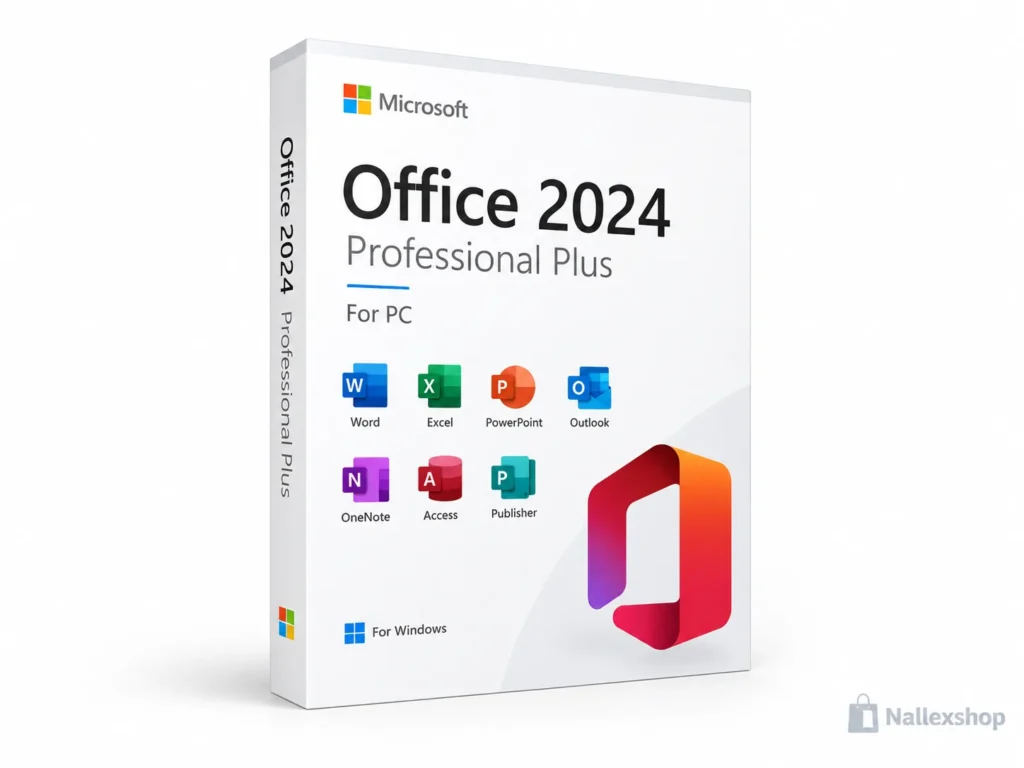
Office Professional Plus editions can include a comprehensive collection of productivity applications. The exact applications depend on the specific edition and licensing channel.
Microsoft Word
Word is designed for creating professional documents, reports, resumes, letters, academic assignments and business documents.
Microsoft Excel
Excel provides powerful tools for managing data, creating spreadsheets, building reports, using formulas and analyzing information.
Microsoft PowerPoint
PowerPoint allows users to create professional presentations for meetings, education, training, marketing and business purposes.
Microsoft Outlook
Outlook combines email, calendars, contacts and scheduling tools in one desktop application.
Microsoft OneNote
OneNote helps users organize notes, ideas, research, projects and other information in digital notebooks.
Microsoft Access
Access is a Windows database application that allows users to create and manage relational databases, forms, queries and reports.
Microsoft Publisher
Publisher can be used to create brochures, flyers, newsletters and other publication layouts where supported by the specific Office edition.
Key Features of Office 2024 Professional Plus
- Modernized Office interface
- Improved Excel functionality
- Enhanced accessibility features
- New and improved Word features
- Updates to Access
- Improved compatibility with modern Windows systems
- Desktop applications for professional productivity
- One-time purchase option for eligible editions
Office 2024 vs Microsoft 365
One of the biggest questions for Office buyers is whether to choose Office 2024 or Microsoft 365. The two products use different licensing and update models.
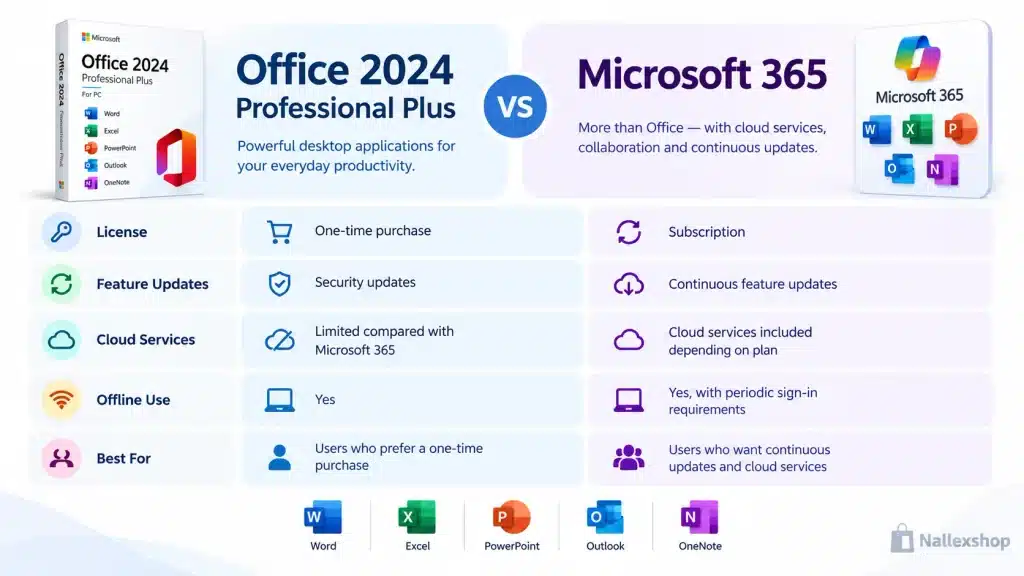
| Feature | Office 2024 | Microsoft 365 |
|---|---|---|
| Payment model | One-time purchase | Monthly or annual subscription |
| Feature updates | Does not receive continuous new feature upgrades | Continuous feature updates |
| Security updates | Yes | Yes |
| Cloud storage | Not included as a Microsoft 365 subscription benefit | Included depending on the plan |
| Cloud services | More limited | Extensive Microsoft 365 services |
| Best for | Users who prefer a one-time purchase | Users who want continuous updates and cloud services |
Is Office 2024 Professional Plus a Lifetime License?
You may see Office 2024 described as a “lifetime license” by software sellers. In practice, this usually refers to a perpetual, one-time purchase license for the specific Office version.
A perpetual license does not mean that future major versions of Office will automatically be included. A future Office release may require a separate purchase.
For this reason, the clearest description is: one-time purchase / perpetual license with no recurring Office subscription required.
Can You Use Office 2024 Offline?
Yes. After Office has been installed and activated, the desktop applications can be used offline. Internet access is required for installation and activation, and Microsoft may require periodic reactivation.
Office 2024 Professional Plus System Requirements
Before purchasing Office 2024, make sure your computer meets the requirements for the exact edition you are buying.
Supported Windows versions and requirements can vary depending on whether the product is a consumer Office edition or a commercial Office LTSC edition.
For business installations, administrators should check Microsoft’s official documentation before deployment.
Who Should Choose Office 2024 Professional Plus?
Students
Office provides essential tools for creating assignments, presentations, spreadsheets, research documents and notes.
Professionals
Professionals can use Word, Excel, PowerPoint and Outlook for everyday productivity, reporting, communication and presentations.
Small Businesses
Businesses that prefer desktop applications and a one-time licensing model may find Office 2024 a practical solution.
Home Users
Office 2024 can be suitable for users who need reliable desktop productivity applications without subscribing to Microsoft 365.
Office 2024 or Microsoft 365: Which Should You Choose?
The best choice depends on your needs.
Choose Office 2024 if you prefer a one-time purchase, primarily use desktop applications and do not need continuous feature upgrades or the full range of Microsoft 365 cloud services.
Choose Microsoft 365 if you want continuously updated Office applications, cloud services, multi-device capabilities and eligible Microsoft 365 features.
Frequently Asked Questions
Is Office 2024 Professional Plus a subscription?
No. Eligible Office 2024 editions use a one-time purchase licensing model rather than the recurring subscription model used by Microsoft 365.
Does Office 2024 require an internet connection?
Internet access is required for installation and activation. After activation, the desktop applications can generally be used offline.
Does Office 2024 Professional Plus include OneDrive storage?
A one-time Office purchase does not include the Microsoft 365 cloud-storage benefits associated with a Microsoft 365 subscription.
Does Office 2024 Professional Plus receive updates?
Office 2024 receives security updates but does not receive the continuous feature upgrades provided to Microsoft 365 subscribers.
Can Office 2024 be used offline?
Yes. Once installed and activated, the desktop Office applications can be used offline.
Get Microsoft Office 2024 Professional Plus
Looking for a professional Office solution without a recurring subscription? Explore the Microsoft Office 2024 Professional Plus activation key available from Nallexshop.
View Office 2024 Professional Plus
Final Thoughts
Microsoft Office 2024 Professional Plus provides a powerful collection of productivity applications for users who prefer a traditional desktop Office experience. With applications such as Word, Excel, PowerPoint, Outlook, OneNote and Access, it can cover a wide range of personal, academic and professional tasks.
The main advantage compared with Microsoft 365 is the one-time purchase model, while Microsoft 365 is better suited to users who want continuous feature updates, cloud services and a subscription-based experience.
