
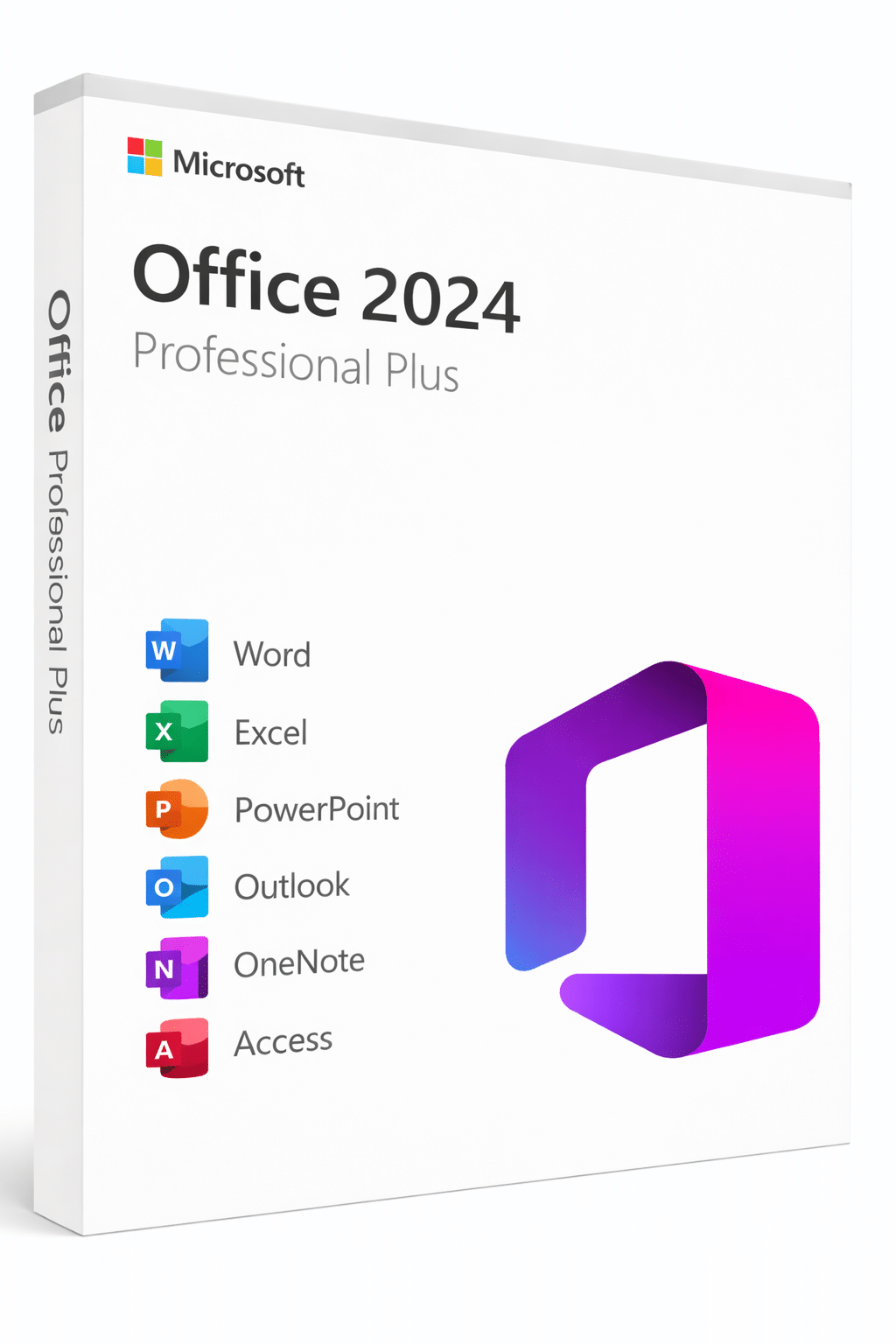

Microsoft Office 2024 Professional Plus
With an Office 2024 Professional Plus lifetime license, you unlock the full suite of Microsoft’s most powerful productivity tools in a single one-time purchase. As a result, you can create professional documents, analyze data, build presentations, and manage your email and calendar without paying a monthly subscription. Furthermore, this version brings Microsoft’s latest features and performance improvements, giving you a modern Office experience that lasts for years.
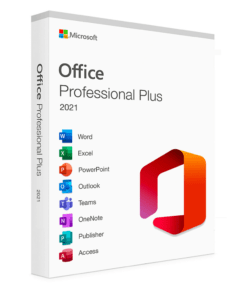
In this Office Professional Plus 2024 suite, you receive:
- 📄 Word – create and edit professional documents
- 📊 Excel – manage data, reports, and spreadsheets
- 📽️ PowerPoint – build modern presentations
- 📝 OneNote – organize notes and ideas
- 📧 Outlook – handle email and scheduling
- 📰 Publisher (Windows only) – design flyers and brochures
- 🗄️ Access (Windows only) – work with databases
- ☁️ OneDrive – integration for cloud storage and sharing
Because all apps receive feature and security updates, your copy of Office stays secure and reliable over time. In addition, you avoid the constant cost of subscriptions that come with other plans. Consequently, this license works very well for users who prefer a predictable, one-time payment.
No CD/DVD is included. Instead, you receive a digital product key and download information by email. Therefore, you can start using your software quickly without waiting for physical delivery.
System Requirements
Before you install Office 2024 Pro Plus, make sure your PC meets these minimum requirements. This helps you avoid performance issues and ensures a smooth installation from day one. Moreover, checking these details in advance helps you plan upgrades if your PC is older.
| CPU | 1.6 GHz dual-core processor or better |
| Memory | 4 GB RAM (64-bit), 2 GB RAM (32-bit) |
| Storage | 4 GB of free disk space |
| Display | Minimum resolution of 1280 × 768 |
| Operating System | Windows 10 and Windows 11 |
| Browser | Up-to-date Edge, Chrome, Firefox, or Safari |
If you want to double-check the latest system requirements, you can also review them directly on the official Microsoft support page. In particular, this helps if you plan to use Office on different PCs or in different locations:
👉 Office 2024 system requirements (Microsoft)
How to Download and Install Office 2024 Professional Plus
After your order is complete, we send your product key and instructions by email. Then you can follow our detailed step-by-step guide here. As a result, even first-time users can install and activate Office without confusion. Additionally, you always have written instructions to check again later if needed:
👉 How to download Microsoft Office 2024 Pro Plus and activate it
What’s Included?
Your Professional Plus license includes the following applications:
- Word
- Excel
- PowerPoint
- Outlook
- OneNote
- Access (Windows only)
- Publisher (Windows only)
- OneDrive integration
- & more business-ready tools
Languages: This software is multilingual, so you can choose your preferred language during installation. Moreover, you can switch languages later if your needs change. Therefore, this license fits users who work in multilingual environments or international teams.
What’s New in Office 2024 Pro Plus
Compared to Office 2021, Office 2024 Professional Plus introduces meaningful upgrades that improve everyday productivity. For example, Excel gains powerful new data analysis functions, Outlook receives a completely redesigned interface, and overall performance across all apps is noticeably faster. Additionally, the suite includes improved accessibility tools and a more modern visual design. As a result, you spend less time navigating menus and more time getting work done. Here are some of the key improvements:
- New Excel functions – includes GROUPBY, PIVOTBY, and enhanced array formulas for faster, more powerful data analysis
- Redesigned Outlook – a cleaner, faster email client with improved calendar and scheduling tools
- Dynamic charts – new chart types and formatting options in Excel and PowerPoint
- Improved performance – faster load times and smoother multitasking across all Office apps
- Enhanced accessibility – better screen reader support and accessibility checker improvements across the suite
- Updated interface – refreshed icons, modern ribbon design, and improved dark mode support
For an overview of these and other features, you can also check Microsoft’s official Office 2024 page. This is especially useful if you want to compare Office 2024 Pro Plus with older releases or Microsoft 365 subscriptions:
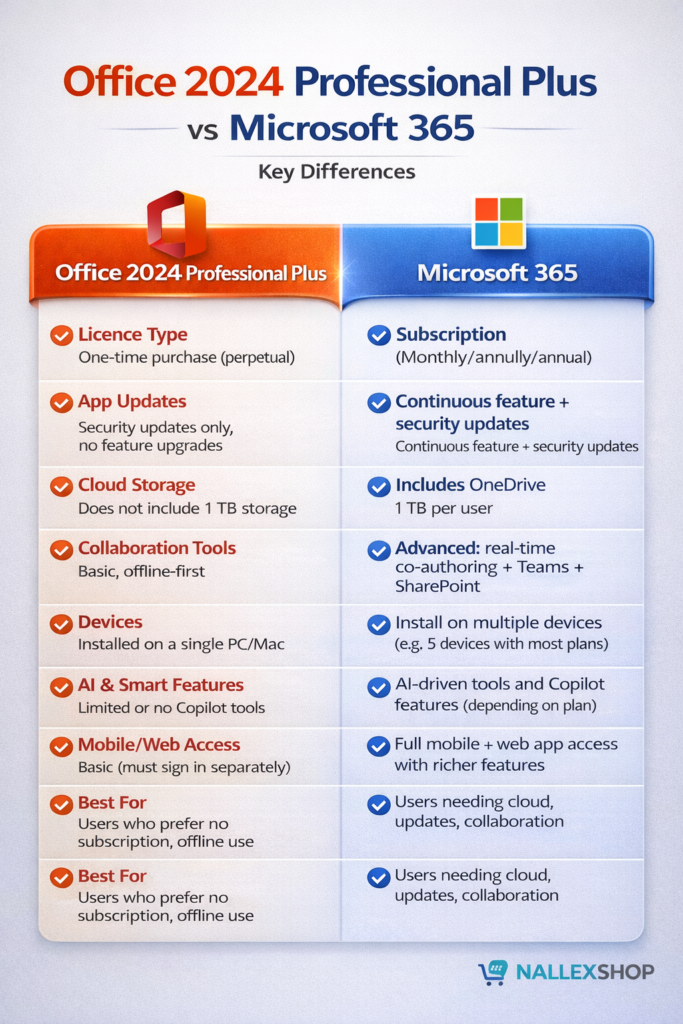
👉 Get started with Office 2024 on Microsoft.com
Why Buy Your Office License from Nallexshop?
When you order through Nallexshop, you benefit from several important advantages. First, you receive a genuine license that activates reliably on your PC. Second, you get clear instructions that make installation and activation straightforward. Finally, you have access to our support if something does not go as planned, so you are never left alone with a problem.
- 🔐 A genuine lifetime license
- ⚡ Fast digital delivery by email
- 📘 Clear download and activation instructions
- 💬 Friendly support if you need help during setup
This one-time purchase offers long-term value and avoids recurring subscription fees, which makes it ideal for students, home users, freelancers, and small businesses. Overall, it is a great choice if you want the latest Microsoft Office apps without ongoing costs. Consequently, many customers choose this option instead of a monthly subscription.
Any questions about your Office 2024 license or the installation process? If you need help at any point, feel free to contact us, and we’ll gladly assist you. In summary, we are here to make your Office setup as simple and smooth as possible from start to finish.
You must be logged in to post a review.
Related products
Office Products
Office Products
Office Products
Office Products
Office Products
Reviews
There are no reviews yet